On this page, you will find a list of items that I strongly suggest that you own for yourself if you are serious about getting into the Digital Media Design field. Please note that the items on this page are only SUGGESTED that you own, not required. I have another page for the Required Equipment, Software & Book List for you to use.
At the time of this writing (2024) the list of suggested equipment is what is currently available.
DSLR Camera & Equipment
As a professional Multimedia Artist, you may be expected to own your own camera equipment for product photography, eCommerce photography, and even have the ability to capture HD video, with good audio. I strongly suggest you invest in your own career, and own your own equipment. If you own your own things, you can start to take on private clients right away, and are more valuable to full time employers too (since, they don’t have to provide you with equipment).
Also (this seems to be a thing I am going to keep repeating) you need to educate yourself on the different types of Lenses, and the compatibility with different types of cameras. Here is a Canon Lens Compatibility guide, which will help you make sense of things BEFORE you spend money.

Minimum Specs
- 24 Megapixels
- 1920 x 1080p Video Recording
- 3.5mm Microphone Input
- H.264/MP4 Video
Starter DSLR Camera (for Video and Photography)
Picking the right camera is tricky, as there are a lot of cameras out there that seem like good deals but won’t do everything we need. We need a camera that is good for Video as well as Digital Photography, so our “entry level” camera is a bit more expensive. Currently, I would suggest you get yourself a Canon SL3 Rebel. It’s a great starter camera that will give us everything we need without breaking the bank.
You could absolutely go with the Nikon equivalent (though I personally prefer Canon). I think that the two companies both make a great product and there are pros and cons for each side. It’s completely up to you. The classroom is stocked with Canon cameras however, so if you buy Nikon just know that the lenses and things in the classroom will not work with your camera.


Other Equipment to Consider
There are a whole bunch of things that you may also want to consider getting if you are going to get into photography and videography. Each of these are either must haves, or should haves. The brands of products are (again, do your research) up to you, but I have listed the items that I have used and liked more than others.
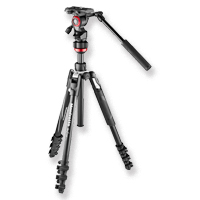
Tripod (with a video control arm!): You will need a good tripod to get any video still shots and photography with slow shutter speeds. Cheap tripods tend to be wobbly and not sturdy enough, so go with Manfrotto.
Shotgun Microphone: This is the basic starter microphone for any new kit. Sure, you will want other microphones for some projects but this is a good starting point. Get yourself a Rode mic.
Shoulder Rig: You will most likely not want every video you shoot to be from a stationary position, so get yourself a good shoulder rig. Neewer is a good brand to start with.
Desktop Computer
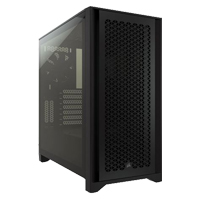
A LOT of students want to get a laptop first, which I personally think is a mistake. In my experience, it is better to have a powerful desktop to do the heavy lifting of the design work. Sure, some laptops “can” do this work, but not as well as a full sized desktop (due to the fact that it isn’t being crushed into a thin wafer). I think that a desktop PC with a lot of fast storage (SSD), plenty of RAM, a fast processor (CPU) and a powerful video card (GPU) is the most important place to start for a multimedia designer.
I would suggest that a student who wants to create videos, animations, graphics with lots of effects aim for getting a “mid-tier” gaming desktop. If you can meet that level of power, there is very little that Adobe can throw at you that you won’t be able to handle. You don’t need a top tier PC for what we do here.
Trigger Warning to MAC Enthusiasts… Let’s just get this out of the way… I don’t suggest buying into the Apple ecosystem as a designer. I have a LONG LIST of reasons why I prefer PCs to anything MAC for our work. I will say that if you absolutely must use a MAC, then you will be on your own for troubleshooting, formatting, and software changes that effect the platform. The school no longer supports MAC, and we have a PC lab in the classroom.
Minimum Specs
- Ryzen 7 or Intel 14th Gen CPU
- 32 GB (or higher) of DDR5 RAM
- 8 GB (or higher) GPU Memory
- 1 TB (or more) NVME SSD Drive
A Good Desktop PC
There are two roads to getting a decent desktop… the first is to buy one outright (Prebuilt) and the second is to build your own (Custom Build). I will always suggest that my students build a custom PC rather than buying one from a store or online vendor. You should know how a computer works, what components you need, how to set them up, and how to maintain or troubleshoot them. I will personally help you pick the parts out, and teach you how to assemble them, right here in the classroom.
Either way you choose to go, the most important factor are the computers components and how much bang for the buck you are getting. You need to know exactly what to watch out for if you are buying a prebuilt, as they are more often less powerful and have a profit markup on them. Essentially, you could be getting less computer for more cost (which… we do not like).


Minimum Peripherals
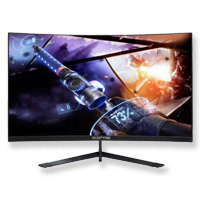
- 1920×1080 (or higher) Resolution Monitor
- Keyboard & Mouse
- Headset
- Microphone
Other Desktop Considerations…
PC Peripherals are highly up to the person who is going to be using the computer. Some people want ultrawide screens (more desktop screen space) while others prefer higher resolutions (like 1411p or 4K). These things are completely up to you. These items below can be cheap, or expensive… it really just depends on what is important to you.
Monitor: Do you want more than one? Do you want 1440p rather than 1080p? Do you want Ultrawide aspect ratios? All of these are completely up to you. Do your research, pick the one(s) you like.
USB Keyboard and Mouse: You will need a keyboard and a mouse. There are literally thousands of types, and at the end of the day it’s up to you to pick what works best for you.
USB Headset: Just like any other peripheral, you will need to decide what is right. I would suggest a headset that has full over-ear cups (for comfort) and possibly look into noise-cancelling. Totally up to you.
Microphone: I do strongly suggest that you get a good microphone for voice recording. Having a cheap microphone can really crush the quality of the audio you record. Get yourself at least an AT2020 USB. I love these mics.
Do you NEED a Laptop?
Honestly, some people just don’t have room for a desktop PC and they are forced to use a Laptop or an Ultrabook. If that is the case, just remember it is the SPECS of the PC that matter, not the amount of RGB nonsense. A laptop that costs $1000 will not be as powerful as a desktop at the same value. Laptops and Ultrabooks are not designed for power, at least not at an affordable price. Use the same minimum specs that you would need on a desktop, but be prepared to pay more so that you get the smaller form factor.
 Digital Media & Multimedia Design