Here is a list of great games you can use, and what they will help you practice various design elements while you relax and have some fun as well. These are great ways to take a break in the middle of a project, and an even better way to show everyone else in class that YOU are the boss. Enjoy! If you find any other good ones out there while you are exploring the internet please let me know! I would love to see them!

The Canon Challenge
Attention newbie photographers! If you are struggling to understand the Exposure Triangle and how the ISO, Shutter Speed and Aperture of your camera settings impact the final exposure… this is the place for you. Challenge yourself to a deeper understanding of basic photography settings, and get yourself a perfect score.
★ TIP ★ You can mess around with the settings using Canon Play first… before you jump into the deep end of the Manual mode of the challenge!

It’s Centred That
(yes…. spelled that way)
This is a really fun game where you will test your UI/UX design skills and judge whether the dots are really in the middle of the shapes to practice your design skills. They prepared 10 shapes for you to select from, but you have to get all 10 correct to win the game. Can you do it? Trust me, it’s nowhere as easy as you think it will be. There are some tricky ones in here!
Can’t Unsee
This game enriches your overall UI/UX design eye by testing your knowledge of design concepts, such as hierarchy, contrast, alignment, typography, and component styling. The screen shows two design components and asks you to select the more user-friendly option. You get a final score and ranking when you get through all of them. Can you get a score that puts you in the top 1%?
Perfect Paragraph
This game will really humble you once in a while. You think your web typography game is strong? Test it! You have to consider line-height, font size and line width all at the same time. You are prompted to “fix” the typography using only ONE of the three however, and then given a score of how well you did. They even give you a goofy title at the end!
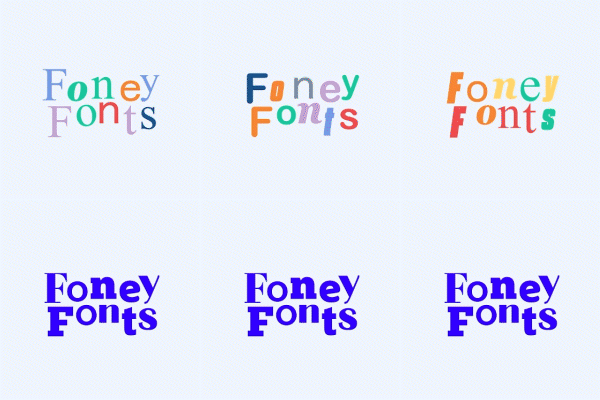
Foney Fonts
Are your typography skills strong enough to recognize famous fonts or logos? Do you know your Arial from your Helvetica? The designers over at Avark slightly altered the font that appears on 10 famous logos and put them next to their legitimate counterparts. Can you tell the difference between the bona fides and the phoneys? I will be honest, I didn’t know a LOT of the logos or companies, but it’s still fun!

I Shot the Serif
When you first start learning how to define fonts while learning about typography, the first thing you need to be able to do instantly is identify a Serif or a Sans-Serif typeface. Lucky for you, I Shot the Serif helps you hone your reflexes to identify them quickly.
⚠ WARNING ⚠ THIS GAME IS LOUD. Either put on your headset or mute the tab before you start the game. Seriously, mute the tab before you play.

Kern Type
So you think you have typography skills, eh? Spend some time with this game that will seriously press the limits of your ability to Kern text. It is a simple, straightforward game with one goal… get the perfect kerning for the typography! It is a very good, simple test of your ability to create attractive type that is easy to read just by adjusting the space between characters.

Shape Type
Yet another strong typography challenge. If you are looking to have a better understanding of the SHAPE of letterforms, then Shape Type is for you. This game will (hopefully) help you learn how letterforms can be visually perfected with practice. I don’t think I have ever gotten a score that I was happy with! I guess I’ll just keep practicing… *sigh*

The Bezier Game
Here is a game that has been tormenting my students for years! If you need practice with your Pen Tool for vector art design, enjoy the challenge of The Bezier Game! Do the best you can with the least amount of anchor points in your vector work to get the best score!

Perfect Circle
So you think you can draw with a mouse…? Good LUCK! This game will make you sad when you realize exactly how much control you have with your mouse while you try to create a Perfect Circle. Be warned, many have attempted this and wept when they see the scores they earn!
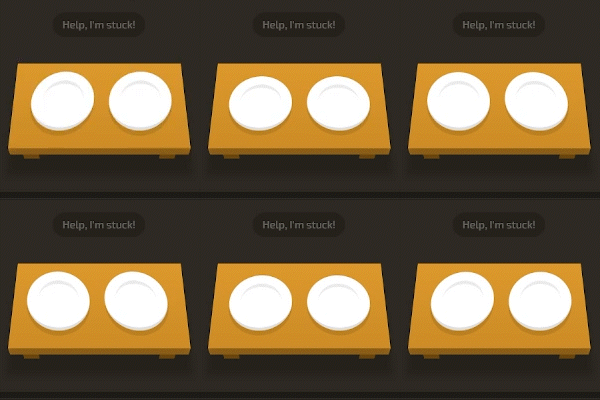
CSS Diner
This game will help test and advance your knowledge of CSS, by asking you to perform selections and actions by writing the CSS code! The CSS Diner is a great way to either sharpen up your skills, or give yourself a quick refresher. Truth be told, unless you already know some CSS, this is not for you. Not super beginner friendly.

The Hue Test
It takes time to lean the different color relationships and terminology when you first get started as a Graphic Designer, so use the Color Method game to improve your knowledge of the field, as well as your ability to name the various color relationships.

Color Method
It takes time to learn the different color relationships and terminology when you first get started as a student in my class, so use the Color Method game to improve your knowledge of the field, as well as your ability to name the various color relationships. It’s more helpful than you think… and a little stressful?

The Pixel Game
Test your knowledge of just how big pixels are, and sharpen your focus when measuring the size and scale of elements on screens. The Pixel Game is a great tool, and I bet you are WAY OFF when you first play it. Think you can get a perfect score? This is a great tool for anyone getting into UI / UX design or designing for screens.
 Digital Media & Multimedia Design