App Design Challenge. You will have to provide a finished Logo, App Icon, Wordmark, and the 5 most important app screens that showcase special functions. Additionally, the designer will need to submit a detailed Style Guide that includes the color system, typography styles, and user interface elements.
Eden
Eden is an app that helps users track their carbon footprint by logging daily activities like transportation, energy usage, and shopping. It provides tips to reduce environmental impact and rewards users with green points for eco-friendly actions. We need a Minimalist UI/UX with a sustainable feel that is beautiful but informational, and”feels” sustainable.
Design Elements to Include
- Earthy colors (greens, browns, and blues).
- Clean, minimalist interface with eco-friendly icons (e.g., leaves, recycling symbols).
- Gamification elements like progress bars and badges that reward users.
- Infographics to visualize carbon footprint data to keep users educated.
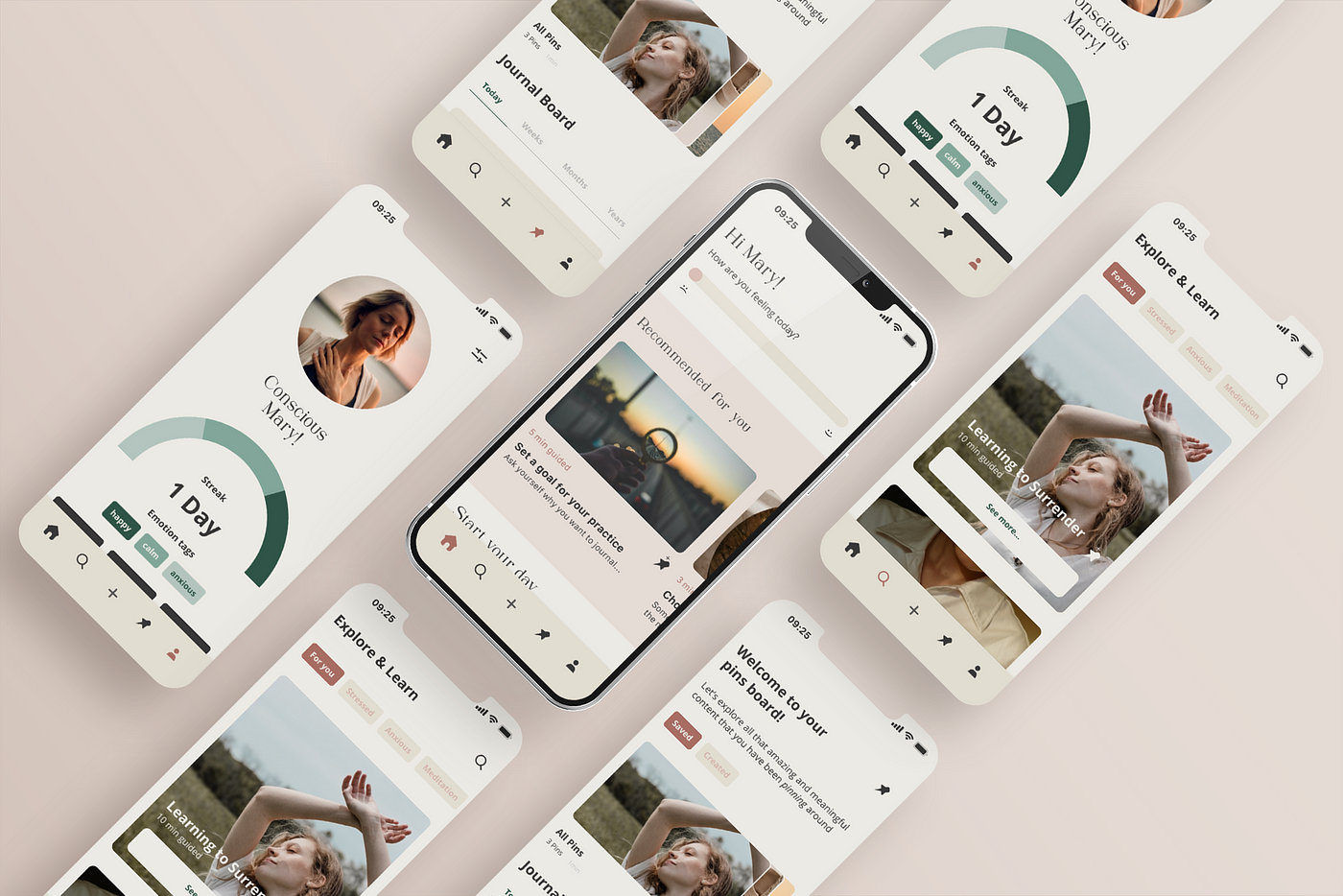
“The colors and whitespace of the image shown here feels about right for what we want, and we do like the introduction of photography as part of the graphic design. We think the colors could pop more and maybe be brighter and more saturated, but not too much!”
Drift
Drift is a mood health app that curates music, art, and meditation exercises based on the user’s current mood. Users of Drift can log their emotions and receive personalized recommendations. Users will enjoy tailored shopping recommendations as well as social network connections through other apps synced here. The Drift app should help people on a personal, emotional and mental way visually.
Design Elements to Include
- Gradient color schemes that change based on mood (e.g., calming blues for relaxation, vibrant yellows for happiness).
- Clean white balance photography uses as graphics.
- Smooth transitions and animations for a calming experience.
- Customizable themes for personalization.

“We like the design sample provided above, but we would like to see the app include the ability for the user to customize the colors and things.
We definitely want to keep the modern design theme of this sample, and to keep it light and open. We want it to feel calming to the user, just by using it.”
Apex
Apex is a fitness app that combines workout routines, meal planning, and social challenges. Users can join live classes, track progress, and connect with friends like a private social network. Businesses will be able to host live events through the app, but also use it as a client portal for membership payments and appointment bookings.
Design Elements to Include
- Bold, high-energy colors (reds, oranges, and blacks).
- Dynamic typography for a modern feel.
- Interactive elements like swipeable workout cards and animated progress trackers.
- Integration of video thumbnails for live classes.

“The sample we provided has a good feel of the color system we want to use, but we feel like the design is a little flat and unengaging. We are looking for something a little bolder and more exciting. Hopefully you can provide a design scheme that blends the two.”
Pawfect
Pawfect is a social app for pet owners to connect, share photos, and arrange playdates for their pets. It also includes a pet care tracker for vaccinations and grooming. Users will also be able to order tailored toys, food and medicines for the exact breed of pet they have, as well as find plenty of instructional content for pet care, social needs, and best training practices.
Design Elements to Include
- Bright colors with playful good photography of pets and breeds.
- Rounded corners and soft edges for a friendly feel.
- Interactive pet avatars that users can customize.
- Photo-centric design with colorful backgrounds for pet pictures.
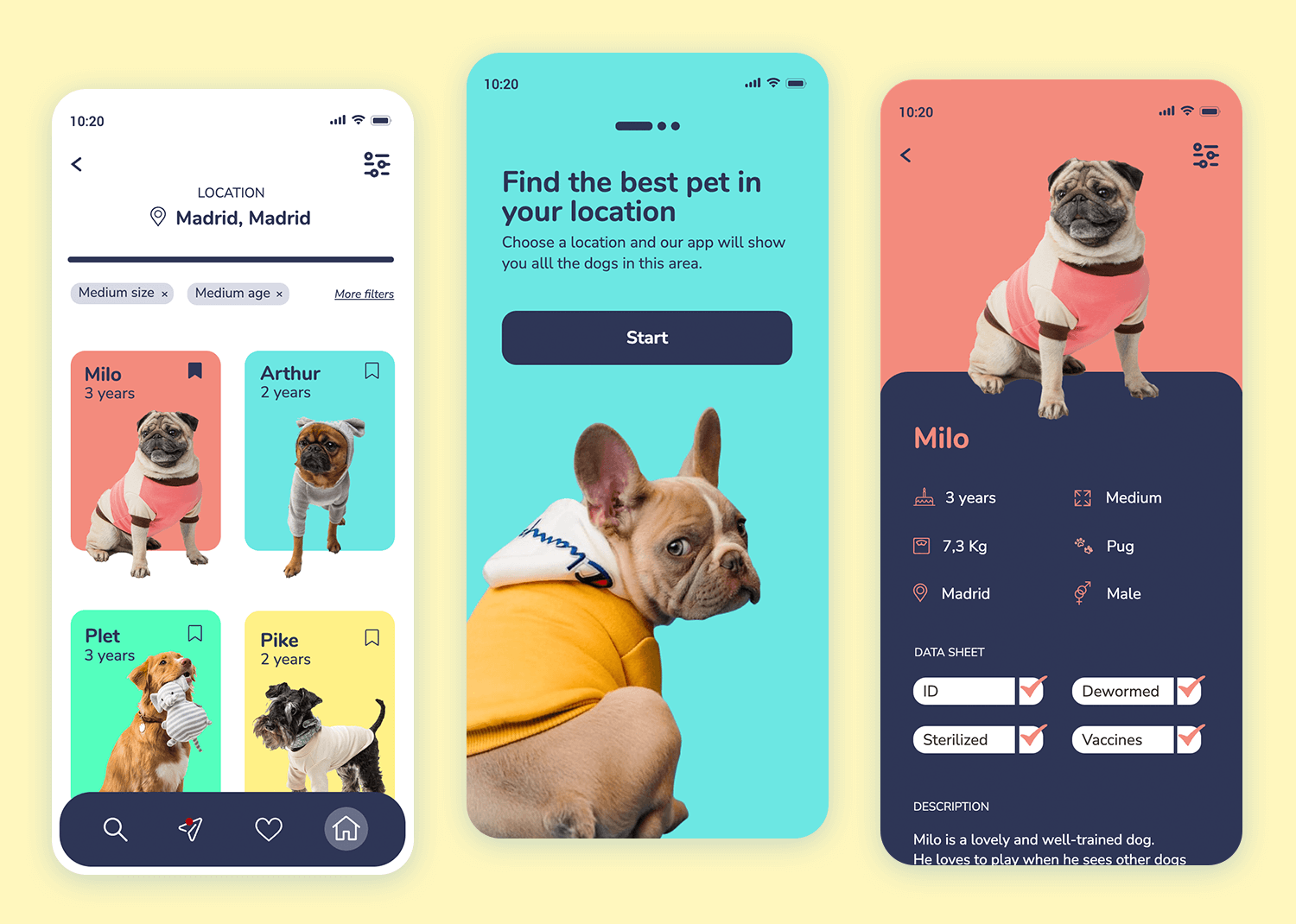
“We really like the design above, but feel like there are too many big dark patches. Having lots of big areas of color is ok, but we want to keep the colors light and bright if possible. The big bold photography is a really nice feature we would like to keep in our own designs.”
Lumos
Lumos is an app for students to organize their study schedules, collaborate on group projects, and access AI-powered tutoring. Users will be able to organize, share and integrate resources tailored to the classes that they are a part of, as well as work a task management calendar that will help keep everyone on track. The last key feature of Lumos is gamification, with awards, progress bars, badges and points to reward the hardest workers in the study group.
Design Elements to Include
- Clean color palette (blues, purples, and grays).
- Illustrations in a flat and simple style to attract a wider audience.
- AI chatbot interface with a friendly avatar.
- Calendar and task management tools with drag-and-drop functionality.

“The design we want should be clean and easy to use with lots of open space and a nice clean color palette. The use of illustrated elements and avatars will help us gamify the app as we go, and give us some fun animation options later on. “
Wanderly
Wanderly is a travel app that helps users discover hidden gems and off-the-beaten-path destinations. It includes AR features for virtual tours and the ability to connect with real world local guides. The users can leave images and stories of visits to these places almost like journal entries for other users to see when they are actually there! Using the AR technology, our users will be in a private club and hold all of the coolest remote adventure stories, tips and history!
Design Elements to Include
- Nature-inspired colors (greens, browns, and earthy tones).
- Full-screen immersive imagery with parallax scrolling.
- AR integration with 3D maps and landmarks.
- Hand-drawn icons and typography for a rustic, adventurous feel.

“The app design scheme we want should be very immersive and engaging. In the image we supplied the images should be full screen or large on any layout, but the app interface around it should remain clean. Pay no attention to that color scheme though, we want a more earthy scheme applied to our design.”
Simmerly
Simmerly is a recipe app that combines AI-generated recipes with user-submitted creations. It includes a grocery list feature and step-by-step cooking instructions. Additionally, Simmerly will coach users on how to improve basic cooking skills with free interactive classes based on AI technology that will personalize to each users skill level. We want a nice and clean, easy to use app.
Design Elements to Include
- Fresh color theme (oranges, reds, and yellows).
- High-quality food photography as a central design element.
- Interactive recipe cards with swipeable steps.
- Customizable grocery lists with check-off animations.

“The app image that we provided looks great, but we don’t like the big dark patches used for contrast. We like the shape integration, and a lot of the layout elements but we would like more large scale images of food. The UI should be simple and clean like the sample we have, and the isolated photos of the ingredients is a really nice touch. We are not a big fan of icons to represent everything.”
ChronoCast
ChronoCast is a podcast app that lets users time-travel through audio content by exploring podcasts from different eras or imagining future scenarios. Clearly a lot of our content will be AI Generated, but just imagine the idea of a podcast that was hosted by various historical figures, talking to the people in the years they were alive! Also, we will be able to create “future” content as well, with predictive podcasts about life in the future.
Design Elements to Include
- Retro-futuristic fusion aesthetic with lots of duotone or monotone photography integration.
- Timeline-based navigation for exploring eras.
- Bold, large typography.
- A wide color range, keyed to various points in time.
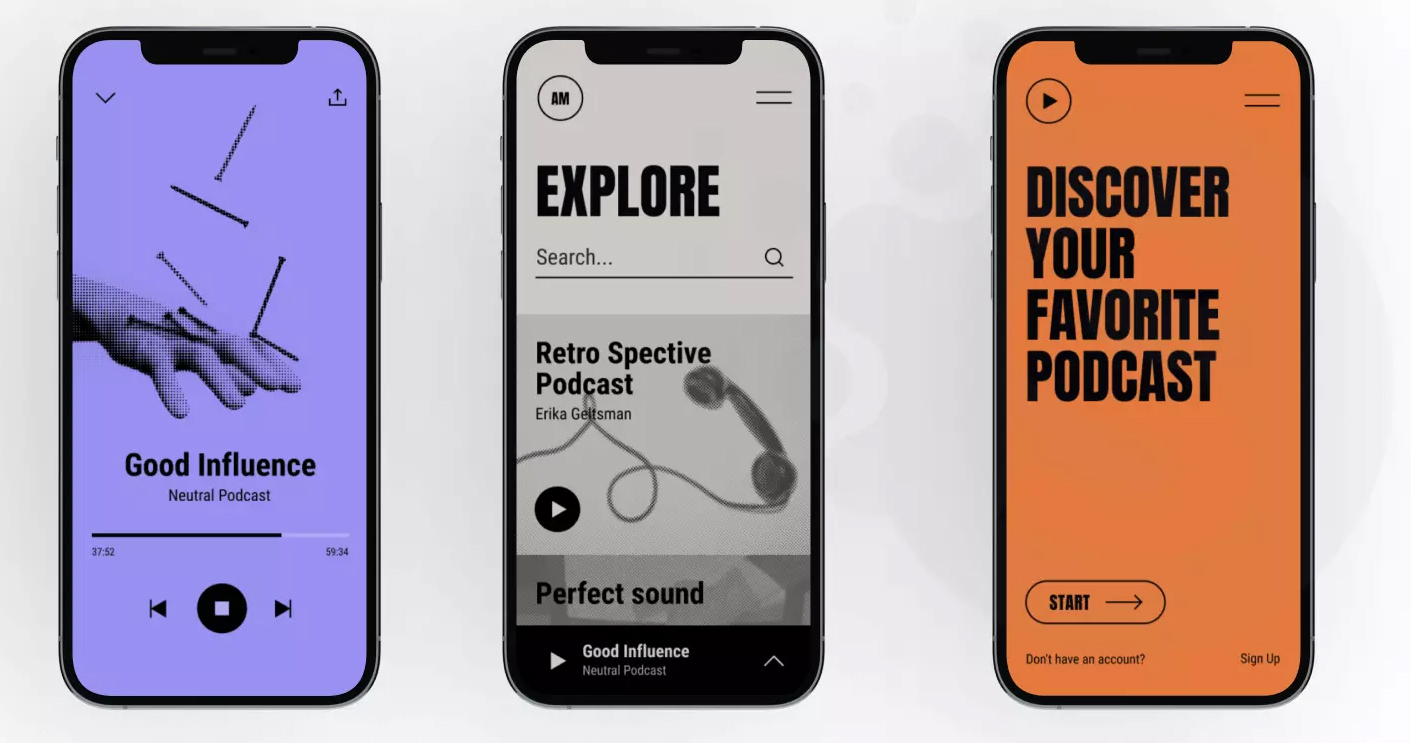
“The app design sample we found online is a really strong step in the right direction. We like the color use, the typography and the integration of photography with the use of color. This has almost everything we want to see in our own design, but we need it expanded and adapted to our own needs. We need a designer who can take this idea to the next level and really impress!”
Fabricate
Fabricate is a virtual wardrobe app that helps users plan outfits, get fashion advice, and shop for new pieces. It includes an AI stylist feature. While most fashion apps out there focus on the “high-end” world of fashion, most people just want to make their own style look better. We are worried more about the style you want, rather than “this is the style you should have“. The app would act as a “style saver” for users, who could start to mix and match from older outfits.
Design Elements to Include
- Sophisticated color palette (blacks, whites, and golds).
- Clean, modern typography and layouts.
- Drag-and-drop outfit builder with 3D clothing models.
- Integration of AR for virtual try-ons.
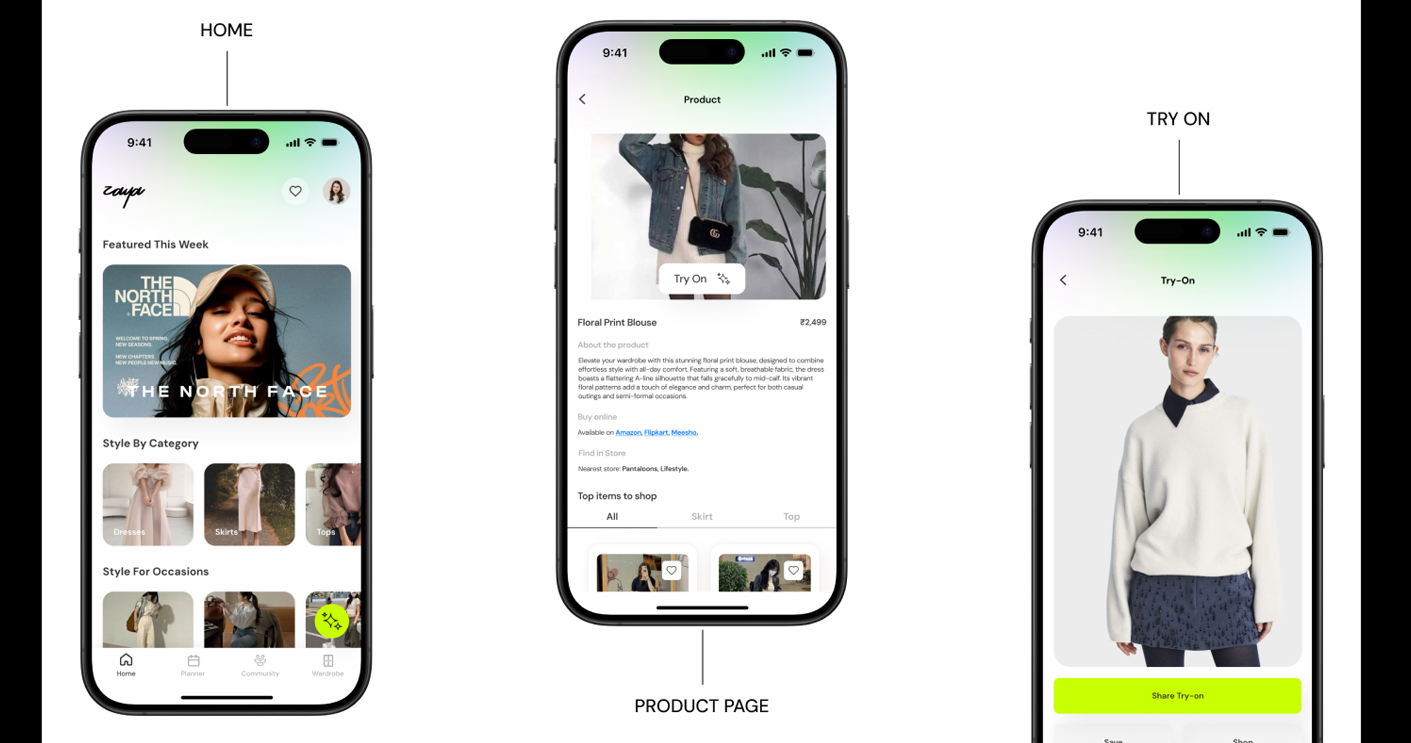
“There are a ton of examples out there that are not at all what we want, and the one we have provided is the closest thing we have found yet that looks simple and clean enough to be used by everyone, no matter of background or fashion sense. We would like our graphics and designs to be way more bold and interesting. We need a designer who can fix it!”
Plantify
Plantify is the ultimate app for plant enthusiasts, whether they’re seasoned gardeners or first-time plant owners. The app helps users care for their plants by providing personalized care schedules, diagnosing plant issues, and fostering a community of plant lovers. With features like plant identification, care reminders, and expert advice, Plantify ensures that every plant thrives.
Design Elements to Include
- Fresh, green color palette with leaf patterns.
- Plant care trackers with progress animations.
- AR integration for plant identification.
- Community forums with user-generated plant photos.

“The app designs we like are open and airy, with a few pops of green to draw attention. We would also like a mix of photography and illustrated elements to keep the design from feeling too serious. We think that a designer who can balance these things can make a beautiful app that our users will enjoy and find helpful! “
 Digital Media & Multimedia Design