Project Introduction
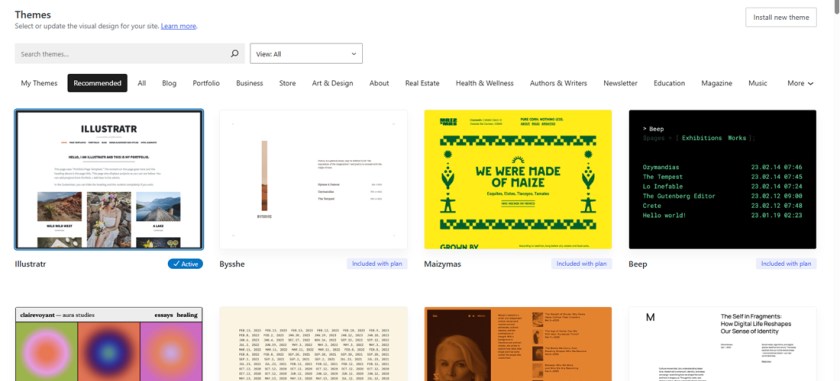
WordPress gives you a lot of creative control over your portfolio — but with great power comes great responsibility (and occasionally, great disaster). This extra credit project challenges you to go beyond the default theme and change your site’s design to something that still supports portfolios… but looks and feels totally different.
This challenge is all about thinking like a designer and learning to customize and troubleshoot your own digital workspace. Your goal is to find a theme that fits your style and your content — and implement it without wrecking the functionality of your portfolio.
❗ Warning: Not all themes on WordPress.com support the Portfolio Post Type. Choose wisely — or you’ll break your site layout and spend the rest of the day panicking. Do your research and make sure you are good to go!
Creative Focus
The themes you choose on a website are more than just decoration — they impact usability, legibility, mood, and message. Your theme should match your creative identity and showcase your work in a clean, professional way. This is a great time to start thinking about your personal brand as a designer. Will you make custom templates for graphics and images? What colors should you use for showcasing your work? What kinds of images should you consistently use? What kind of typography do you think looks best… the portfolio is a great place to start tuning a theme to match your own style.
This project builds confidence in your ability to:
- Change and manage visual themes
- Evaluate user experience and layout design
- Understand how different themes structure content like portfolios, menus, and widgets
It’s also a good reminder that you control your brand — not the theme.
Project Requirements
To earn extra credit, your final WordPress portfolio must include the following:
- A new theme installed that is not the default “Illustratr”
- The new theme must support the Portfolio Post Type
- Your existing Project Posts must still display as a functioning grid or list as your homepage
- Menus, navigation, and galleries must still work after switching
- You must write a post explaining:
- Why you chose your new theme
- What went wrong (if anything)
- What you learned about theme design and customization
- What custom choices did you pick (colors, type, etc)
- Include before and after screenshots of your site identity
- Your new theme must be fully live and customized by the deadline
Project Grading Rubric
Explain the grading rubric here (six categories, 100pts).
| Criteria | Description | Points |
|---|---|---|
| New Theme Installed | Theme is changed from default and still supports Portfolios | +5% |
| Portfolio Still Works | Projects display correctly; no major layout or content breakage | +5% |
| Site Navigation Functional | Menus, pages, categories, and galleries still navigate properly | +5% |
| Technical Accuracy | Information is correct, steps make sense, visuals are labeled properly | +5% |
| Visual Improvement | Theme offers a better, clearer, or more creative user experience | +5% |
| Reflection Written | Clear explanation of your choices, challenges, and lessons learned | +5% |
| Total (possible) | 30% Extra Credit |
OCP & Standard Alignments
01.01 – Demonstrate knowledge of basic computer operations (installing themes, previewing changes, site maintenance)
01.04 – Demonstrate knowledge of online research techniques (exploring and evaluating available themes)
02.01 – Apply knowledge of design elements and principles (choosing layout, type, color, and spacing)
02.04 – Demonstrate knowledge of composition (theme layout as it affects framing and balance)
03.02 – Demonstrate knowledge of digital imaging software (if screenshots or preview images are edited)
04.03 – Create a digital portfolio to showcase multimedia projects (project ensures continued site functionality)
 Digital Media & Multimedia Design