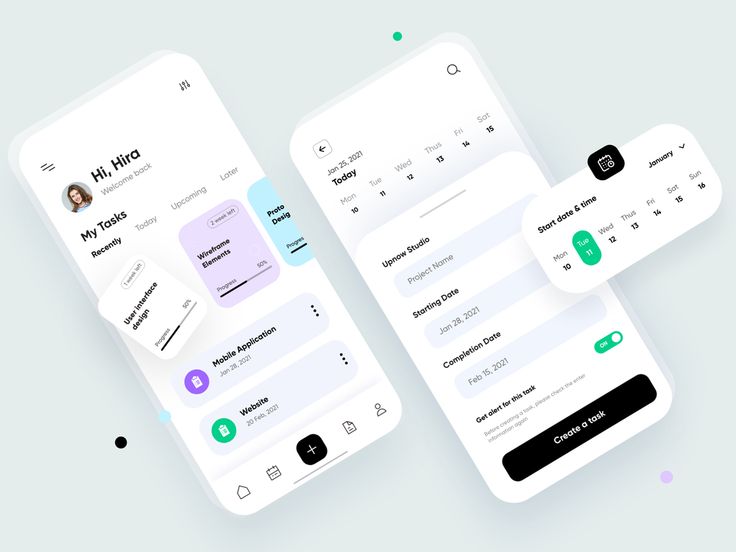
Project Introduction
Ready to level up your design game? In this extra credit challenge, you’re stepping into the role of lead designer for a brand-new mobile app—chosen from the list of client briefs on our official Mobile App Design Challenge page. This isn’t just about making something pretty—it’s about building a full brand identity and user experience. You’ll be creating the visual DNA of an app: logo, icon, wordmark, screens, and style guide. It’s real-world, it’s intense, and it’s a killer portfolio piece if you put in the work.
Creative & Technical Focus
Choose a project brief from the Mobile App Design Challenge.
This challenge is about thinking like a pro designer, from concept to execution. You’re building the bones of an app interface, but also its voice, its attitude, and its vibe. Start with a client brief from the provided list and let that guide your choices—what does this app need to feel like? Is it playful? Professional? Cutting-edge? Your color palette, font system, and button designs should all echo the same visual tone. You’ll need to explore branding fundamentals (logo, icon, wordmark) and how those translate into functional screens. This is where UX meets identity, and your job is to make it all cohesive. You will need to get back to Illustrator for vectors, Photoshop for images and mockups, and present a full style guide for the app built in InDesign. Knock the dust off your skills and make something amazing!
Project Requirements
To complete this extra credit project, students must:
- Choose one brief from the official Mobile App Design Challenge page.
- Design and submit the following branding materials:
- A finished Logo (vector format preferred)
- An App Icon (in square 1024×1024 format)
- A Wordmark (stylized name of the app)
- Design 5 original app screens that showcase key features or user functions (e.g., login, dashboard, product screen, etc.) displayed as professional mockups.
- Create a downloadable complete Style Guide PDF that includes:
- Color palette (primary, secondary, accents with hex codes)
- Typography system (font families, sizes, and usage hierarchy)
- UI elements like buttons, icons, and any reusable components
- Images section that includes how you use images consistently through the design
- Upload all assets and a full write-up on your WordPress portfolio, explaining your design decisions and creative process.
Project Grading Rubric
Here is how your project will be graded.
| Criteria | Description | Points |
|---|---|---|
| Logo, Icon & Wordmark Design | Interesting and modern design that works well for the project. | +5% |
| App Screens (Visual Quality) | The design of the screens follows proper design rules, consistency and modern layouts. | +5% |
| Style Guide Completeness | The Style Guide covers all required content, and is an example of the design rules presented | +5% |
| Branding Cohesiveness | The brand feels consistent from the logo all the way through the style guide and screens. | +5% |
| Final Portfolio Post (Write-up + Assets) | Project is posted with strong write-up, comparison, and images | +5% |
| Total (possible) | 25% Extra Credit |
OCP & Standard Alignments
13.08 – Create and edit images and photographs for webpages using digital imaging software… since students will design logos, icons, and custom screen graphics.
13.04 – Demonstrate understanding of pixels for web design… because this project requires precise pixel-based layout for mobile interface screens.
13.07 – Format text for webpages (e.g., font families, sizes)… as students must define typography standards within a user interface system.
13.15 – Optimize page size for effective downloading to browsers… since all screen designs must be appropriately sized and compressed for display and presentation.
11.02 – Identify design strategies to reach and keep an audience… because every design choice in the app must serve user engagement and branding clarity.
04.03 – Create a digital portfolio to showcase multimedia projects (project must be embedded in WordPress site)… because this entire project should be showcased and documented on the student’s portfolio for review.
 Digital Media & Multimedia Design