Project Introduction
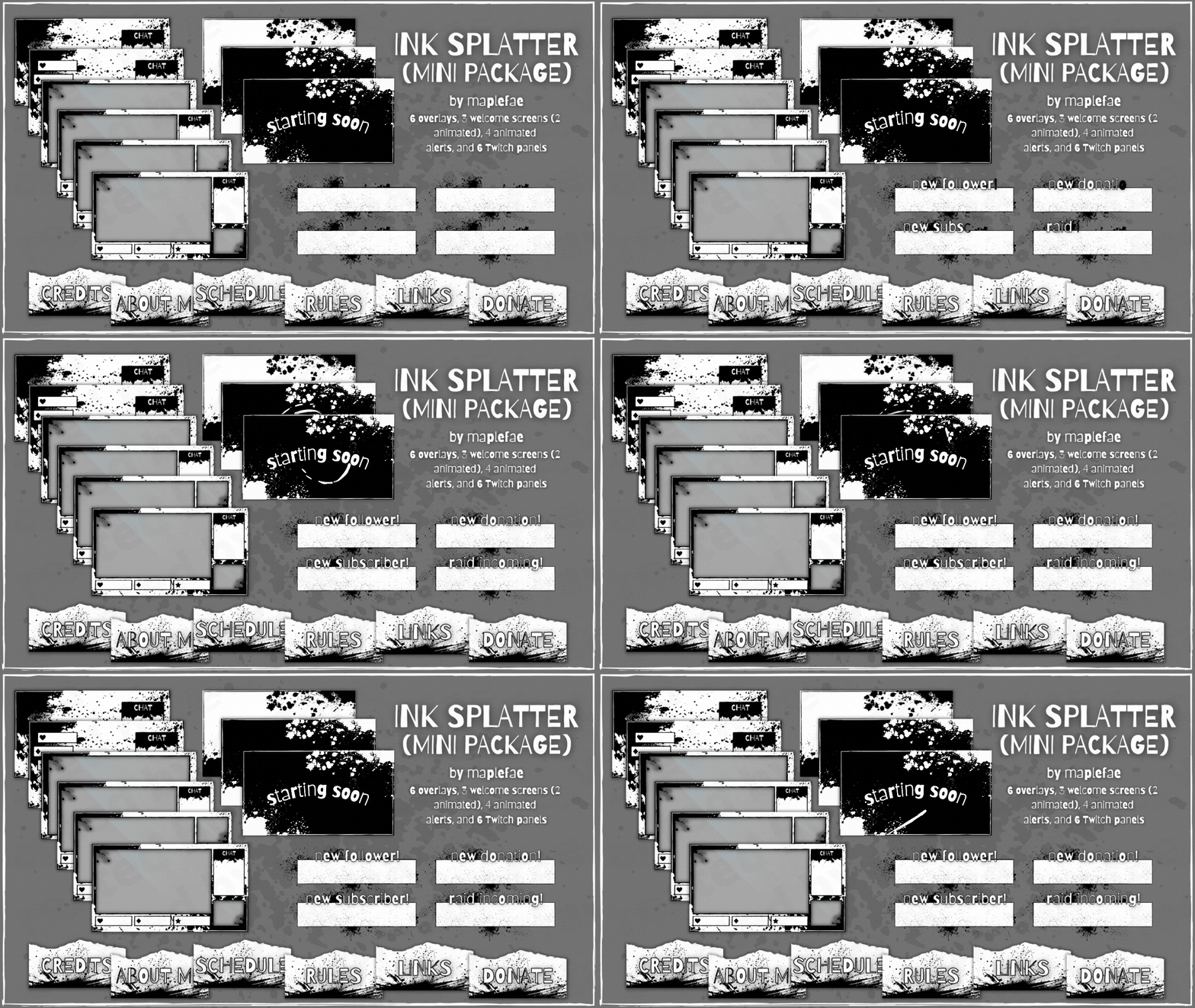
So you wanna be famous? Or at least look like you’re famous. This project is your chance to design a full-blown streamer overlay kit for Twitch, YouTube Live, Kick, or whatever platform TheRealBaconWizard42 (a name I would love to see in the wild) is currently dominating. Whether it’s for yourself, a made-up brand, or your friend who thinks they’re a gaming god, you’re building a complete visual identity—static and animated—that makes a livestream look legit.
This isn’t just about dropping a glow effect on a rectangle. You’re designing a whole branded experience: overlays, transitions, alert animations, panels, and more. And yes, it needs to look good and actually work in something like OBS or Streamlabs without melting your CPU. Make it slick, make it tight, make it yours.
Creative & Technical Focus
Your job is to create a cohesive, on-brand digital environment for a livestreamer—think motion graphics meets interface design meets brand identity. Every piece of the overlay kit should feel like it belongs to the same visual universe: same fonts, same energy, same attitude. You’ll think about hierarchy, viewer flow, and how to support—not distract from—the main content. From subtle animation loops to bold splash screens, this project asks you to be both a designer and a storyteller. Who is this streamer, and what kind of vibe are they giving off? Build the kit to match that personality.
Project Requirements
You must submit all of the following (or risk being banished to the streaming void):
- Webcam Frame – Transparent PNG or GIF (16:9 or 4:3)
- Gameplay Overlay or HUD Element – Transparent PNG or GIF
- 5 Scene Screens – Chatting, Starting Soon, BRB, Ending, Offline (1920×1080 PNGs or GIFs)
- Alert Animations – Follow, Sub, Raid (looped GIF w/ transparency)
- Streamer Profile Banner + Avatar/Icon – Scaled for Twitch/YouTube profile
- Organized .zip File – With ALL final assets (labeled clearly and ready for OBS)
- Optional (but cool):
- Sound FX for alerts
- A few original emotes or sub badges
- A Wordmark (stylized name of the app)
- A Custom Stinger for Transitions
Project Grading Rubric
Here is how your project will be graded.
| Criteria | Description | Points |
|---|---|---|
| Overlay Kit Completeness | All required elements are present, formatted correctly, and optimized | +5% |
| Design Cohesion | Consistent style, colors, fonts, and tone across all assets | +5% |
| Motion Graphics & Animation | Alert animations and (optional) stinger are smooth, loop properly, and on brand | +5% |
| Technical Accuracy | Assets are sized correctly, transparent where needed, and file types are right | +5% |
| Portfolio Presentation | Kit is shown off with style in a mockup or WordPress post | +5% |
| Total (possible) | 25% Extra Credit |
OCP & Standard Alignments
05.01 – Demonstrate proficiency in advanced design. You’re building a complex, unified brand system for a digital platform, with layered design thinking and consistent execution.
11.01 – Use storyboarding to plan an interactive animated website. Students must storyboard or visually plan how overlay components like alerts, screens, and transitions work together across a streaming experience.
05.05 – Demonstrate proficiency in using illustration software. Your logo, iconography, and flat graphics should be created in Illustrator for max scalability and clarity.
13.04 – Use scripting to create an interactive webpage, interactive presentation and web banner for publication. Alerts and animated overlays are functionally interactive graphics, built to trigger in live streaming software based on user engagement.
19.01 – Use authoring software to plan and create an advertising campaign that includes collateral materials, digital photography, webpages, animation, video, and audio. This project functions as a multimedia branding campaign for a digital personality, integrating multiple media types into a single, cohesive system.
17.01 – Plan interactive projects for use at a kiosk, CD, DVD, e-merchandising, computer-based presentation, training or corporate presentation. The overlay kit is a real-world example of a branded, interactive media system—similar to those used in marketing and promotional livestreams.
 Digital Media & Multimedia Design