Project Introduction
This project is all about capturing motion, or freezing it. Using your camera’s shutter speed settings, you’ll explore how to creatively control movement in your photos. Sometimes, a fast shutter speed can freeze a dancer mid-air. Other times, a slow shutter speed can turn rushing water into silky ribbons or blur a crowd into a ghostly swirl. Either way, you’re in control of time.
This project follows the same structure as your Aperture assignment: you’ll post two distinct photo galleries to your WordPress portfolio — one technical, one creative. You’ll experiment, observe the differences between shots, and ultimately gain confidence working with manual settings.
Creative Focus
This project challenges you to think about time as a visual element. Just like aperture controls focus, shutter speed controls motion. A photograph is a slice of a moment, and with shutter control, you decide how much of that moment is captured.
The first gallery is about precision: you’re controlling one variable and seeing how it transforms your shot. It trains your eye to notice how movement interacts with light and camera settings. The second gallery is where you push that knowledge further, thinking not just technically, but artistically. What kind of story does blur tell? What does a frozen moment feel like? How does time change the emotional tone of your work?
Mastering shutter speed isn’t just about motion. It’s about intentionality… and that’s what separates casual shooters from real photographers.
Project Requirements
Your final published Project must include A Featured Image for the project (can be one of your final shots), and a written introduction (150–250 words) summarizing what shutter speed is, how it affects photos, and what you learned while completing the challenge. Don’t forget to give it a Category and Tags as well. Include both galleries of photos listed below as well. Your two required galleries must include:
Gallery 1: Shutter Study – One Subject, Multiple Speeds


Above is an example of the exact same shot of moving bamboo leaves in front of the subject (Dusty the Bear) using a faster shutter speed, then a slower one. Your work needs to include five shots, but with this example you can see how the setting changes the outcome of the photo. Watch out for those exposure changes! This can be tricky!
- Choose one subject with motion or movement (such as a fan, pouring water, a pinwheel, etc.).
- Photograph that subject from the exact same position (tripod required) while motion is happening around it, changing only the shutter speed.
- Show at least five distinct shutter speeds (from fastest to slowest). The actual settings you use will depend on what you are shooting.
- Label each photo with the shutter speed used either using Photoshop (if you are comfortable using it) or WordPress with captions.
Gallery 2: Creative Application – Five Subjects


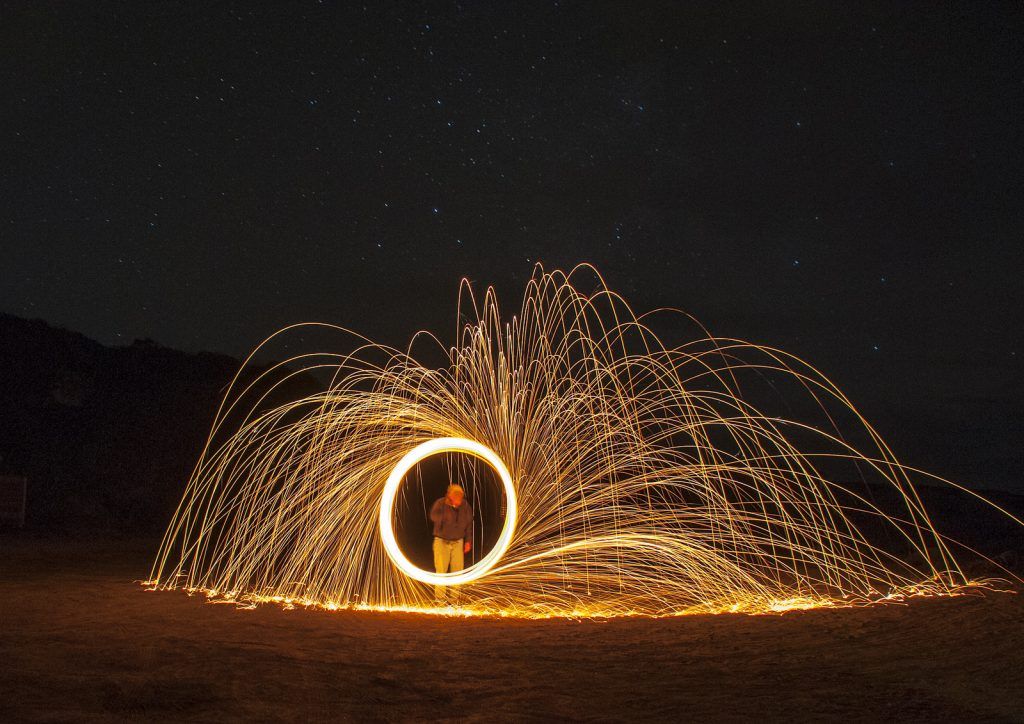


- Take five different photos using shutter speed creatively to tell a visual story.
- These could include:
- Freezing motion (like jumping, splashing, flipping pages)
- Creating blur (long exposures, light trails, motion drag, zoom burst, light painting, you name it!)
- Each photo should be labeled with the shutter speed and a one-sentence explanation of why that speed was used.
All images must be:
- Be resized to 1920x1080px at 72dpi
- Be thoughtfully composed, focused, and technically clean
- Be presented in a cleanly formatted layout on your portfolio post
Project Grading Rubric
Points will be awarded based on the categories below. Be sure to check your work before turning it in for grading!
| Criteria | Description | Points |
|---|---|---|
| Gallery 1 (Technical Study) | 5 photos of same subject, varied shutter speeds, labeled and clear | 20 pts |
| Gallery 2 (Creative Showcase) | 5 original photos using shutter speed creatively, labeled with intent | 20 pts |
| Introduction & Post Structure | Intro paragraph, featured image, tags/categories used correctly | 15 pts |
| Technical Accuracy | Correct shutter use, clean focus, motion captured with intent, images properly sized and optimized | 15 pts |
| Visual Presentation | Portfolio layout is organized, galleries separated and easy to view | 15 pts |
| Explanation of Learning | Introduction clearly explains aperture concept | 15 pts |
| Total | 100 pts |
OCP & Standard Alignments
01.01 – Demonstrate knowledge of basic computer operations (Students handle file management, resizing, and uploading with correct formats.)
02.01 – Apply knowledge of design elements and principles (Motion, timing, and composition are integral to the visual storytelling in this project.)
02.04 – Demonstrate knowledge of composition (Students must plan and compose scenes based on intended motion effect and focal point.)
03.06 – Demonstrate knowledge of photographic and lighting techniques (Project teaches control over shutter speed, a core setting in photographic technique.)
04.03 – Create a digital portfolio to showcase multimedia projects (Students post and format the entire project on their WordPress site.)
04.04 – Prepare and present projects using effective communication skills (Written labels and project introduction demonstrate clarity and technical understanding.)
 Digital Media & Multimedia Design