Project Introduction
Movie posters are not just advertisements. They are branding, storytelling, and visual problem solving rolled into one rectangle. In this project, you are redesigning an existing movie poster using a flat or minimalist design style, inspired by designers like Chungkong, who has built an entire career turning complex films into bold, simple visual ideas.
Your goal is not to recreate the original poster. Your goal is to distill the movie down to its essence and communicate it using shape, color, and composition. No photobashing. No screenshots. This is a pure Illustrator project that tests how well you actually understand vector design tools and visual thinking.
School-Appropriate Movie Requirement
The movie you choose must be school friendly and easily recognizable as an appropriate project focus for an educational environment. If you would not feel comfortable seeing the title or imagery displayed in a classroom, hallway, or on a school website, choose a different movie. When in doubt, pick something clearly appropriate and widely recognizable. This project is about design skill and concept, not pushing boundaries on content. If you don’t know if the movie you picked crosses the line, ask the instructor.

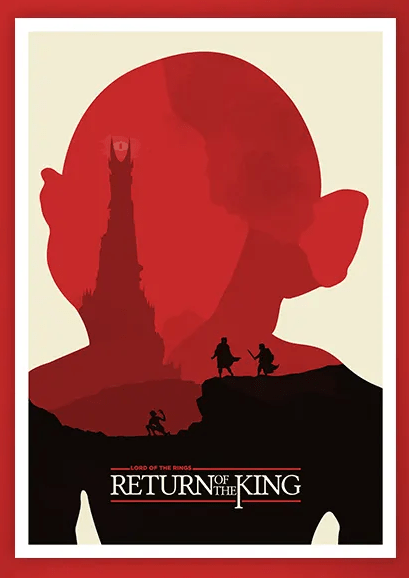
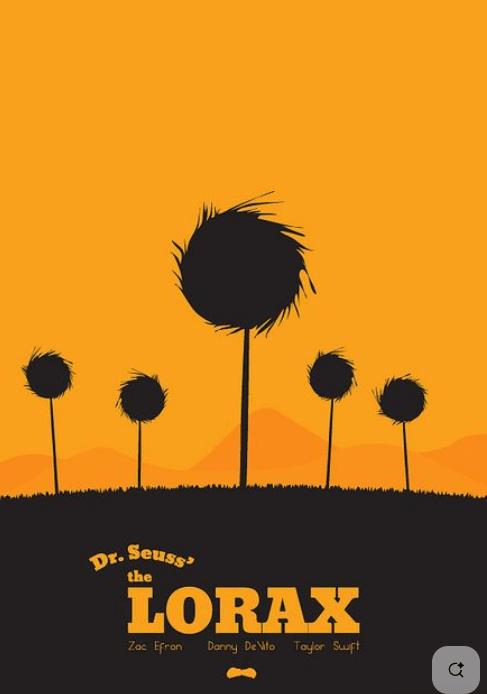
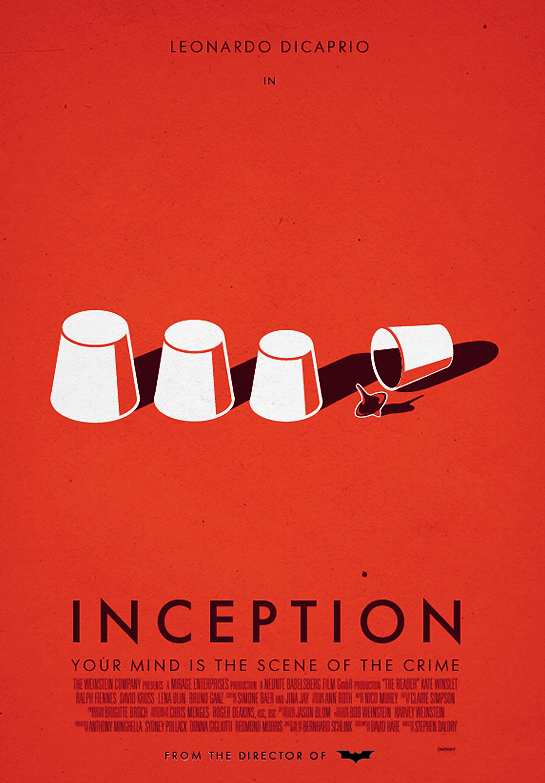
Creative Focus
Minimalist poster design is about restraint and intent. Every shape must earn its place. Every color must matter. This style forces designers to think conceptually rather than decoratively. Instead of showing everything, you choose one powerful idea that represents the entire film.
This type of work is common in branding studios, editorial illustration, streaming platform marketing, and poster series collections. Designers working in Illustrator rely heavily on the Pen Tool, Shape Builder, Pathfinder, and clean vector construction to create these kinds of visuals. If you can pull this off, you are not just clicking tools. You are thinking like a designer.
Your poster should make someone instantly recognize the movie without needing actors’ faces or long taglines. If it feels obvious, you went too literal. If it feels clever and clean, you are doing it right.
Project Requirements
- Final Deliverable:
- Created entirely in Adobe Illustrator
- Flat or minimalist style only
- Artboard size 1080 x 1350px (portrait)
- RGB color mode
- Process Requirements:
- Optional but encouraged: subtle symbolism or visual metaphor
- Movie title, Minimal text only, A single strong visual concept
- WordPress Portfolio Requirements:
- Embed the final image in your portfolio post (JPG) with a reference to the original movie poster (try your best to find a nice high resolution image for the original poster).
- Include at least 1 Project Type.
- Add 5–10 Tags (examples: photo restoration, Photoshop CC, repair, digital media, damaged photo, retouching, portfolio project).
- Create a unique Featured Image blending the Before & After images in a creative way.
- Write a project explanation (250–350 words) that covers:
- Why you chose the movie
- The concept behind your minimalist design
- Which Illustrator tools were critical
- Challenges you solved using vector techniques
- What this project taught you about visual simplicity
Project Grading Rubric
| Criteria | Description | Points |
|---|---|---|
| Concept & Creativity | Poster demonstrates strong conceptual thinking, originality, and a clear minimalist interpretation of the movie. Avoids obvious or literal solutions. | 20 pts |
| Visual Design & Layout | Layout is clean, balanced, and visually intentional. Effective use of space, alignment, and composition. Nothing feels cluttered or accidental. | 20 pts |
| Typography | Text is readable, well sized, and stylistically appropriate. Font choice supports the movie’s tone and the minimalist aesthetic. | 20 pts |
| Concept Strength & Clarity | Visual idea clearly represents the movie through symbolism or metaphor. The concept is understandable without relying on excess text. | 15 pts |
| Technical Execution | Strong use of Illustrator tools such as Pen Tool, Shape Builder, Pathfinder, layers, and vector construction. Clean paths and sharp exports. | 15 pts |
| Portfolio Presentation | WordPress post includes tags, a custom featured image, embedded final poster, and a 250 to 350 word written explanation of concept and tools used. | 10 pts |
| Total | 100 pts |
OCP & Standard Alignments
05.02 – Identify design strategies to reach the intended audience, because minimalist posters rely on visual shorthand and symbolism to communicate ideas quickly and effectively.
05.04 – Create formal or informal design layouts using guidelines, colors, fonts, graphics, and logos, because the poster must be carefully composed using balance, hierarchy, and intentional placement of visual elements.
09.03 – Demonstrate understanding of the illustration software workspace and navigation, because efficient use of Illustrator panels, layers, and tools is required to build clean vector artwork.
09.04 – Demonstrate use of drawing tools to create, combine, and edit basic shapes, because the Pen Tool, Shape Builder, and Pathfinder are essential to constructing the poster’s imagery.
09.05 – Demonstrate the ability to transform content such as scale, rotation, and position, because minimalist design depends on precise control of proportion, alignment, and spacing.
09.09 – Demonstrate use of layers by creating, locking, viewing, and organizing artwork, because complex vector designs must remain organized and editable throughout the design process.
 Digital Media & Multimedia Design